
Attn: Chevron BCs, we’re sending the following information to Marketers on Wednesday regarding how they can seek out help in managing their MSA accounts.
Do you need help managing an issue with one of your MSA accounts? A good place to start is by contacting the Chevron BC who manages that MSA. To locate the appropriate BC, just follow these simple steps:
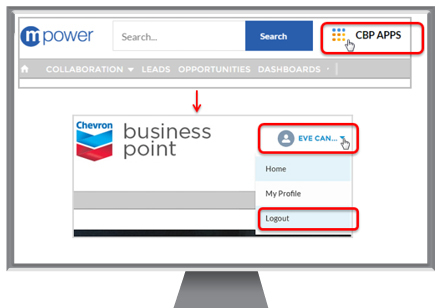
- Login to CBP and click on the mPower community
- Enter the MSA account name into the global search bar at the top or click on Accounts in the navigation bar and select MSA Account and Contact list in the dropdown
- Click on the desired account and once the account page displays, reference the Account Owner field.
That’s all there is to it. Remember that you need CBP (Chevron Business Point) access before you can do the above steps. Speak to your admin to help get you set up. This Knowledge article also shows how to do this and includes screenshots in case you need help.

